
The Rockwell Museum now offers Digital Membership Cards!
For any questions not answered below, please reach out to Chloe Thornton in the development department by email at membership@RockwellMuseum.org or by phone at 607-490-2002.


The Rockwell Museum in Corning, NY is Open today, from 9 a.m. to 5 p.m.
For any questions not answered below, please reach out to Chloe Thornton in the development department by email at membership@RockwellMuseum.org or by phone at 607-490-2002.
An email will be sent to the single email address associated with your membership payment. This can then be shared or forwarded to another eligible household member. The cards can be downloaded to both Apple and Google digital wallets. Or simply save a screenshot image to your device.
This is still a personalized process to get all the details right. Please allow 7 days after any membership purchase to receive cards.
Not a problem! When renewing your membership at the front desk or over mail, there is a checkbox to opt-in to paper cards. You may also email membership@rockwellmuseum.org or call 607-490-2002 and ask for paper cards to be mailed to you.
The download link will be sent to the single email address associated with your membership payment. This can then be forwarded to another eligible household member. Or, from a digital wallet, select the share option (usually by tapping the three dots in the upper corner). It is currently a system limitation that the card can only be emailed to one main contact.
iPhones have an app called Apple Wallet, which will store your digital membership card. You will find the download link for your card at the bottom of your membership card email.

If you have an Android device, you can choose where to install it. The Google Wallet app is strongly recommended, as it is a native OS app that is easy to use, reliable, and available on most Android devices.
If you choose the Google Wallet app (Gpay):
The back of your digital membership card contains information under “Pass Details.”
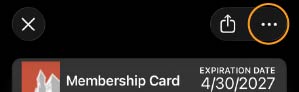
You can “flip over” your digital card to read about your benefits.
During check-in, simply show your membership card in your digital wallet or a screenshot of your card.
Digital membership cards can be used to receive your member discount in The Rockwell Museum Store but cannot be used as as a form of payment.